 Pertisk
Documentation · Alpha
Pertisk VMs Docs
QEMU/KVM control plane with HTTP API, CLI, web UI, cloud templates, guest SSH/snapshots/backups, live metrics, and Terraform export.
Overview
Pertisk VMs is a Rust virtualization control plane. Operators use the HTTP API, CLI (pertisk), or web UI — not SSH — for day-to-day VM work.
Linux defaults to QEMU + OVMF (UEFI guests, serial + VNC). macOS stays on the mock driver (no /dev/kvm). Optional Cloud Hypervisor for kernel/initramfs guests.
Pertisk KOS registers this hypervisor as provider kind = "pertisk-vms" and creates cluster VMs over REST /v1 with no SSH. See KOS — Pertisk VMs notes.
| Piece | What you get |
|---|---|
| Daemon | pertiskd — inventory, VMM lifecycle, cluster, HA, HTTPS UI/API |
| CLI | pertisk — login, cluster, vm, iso, storage |
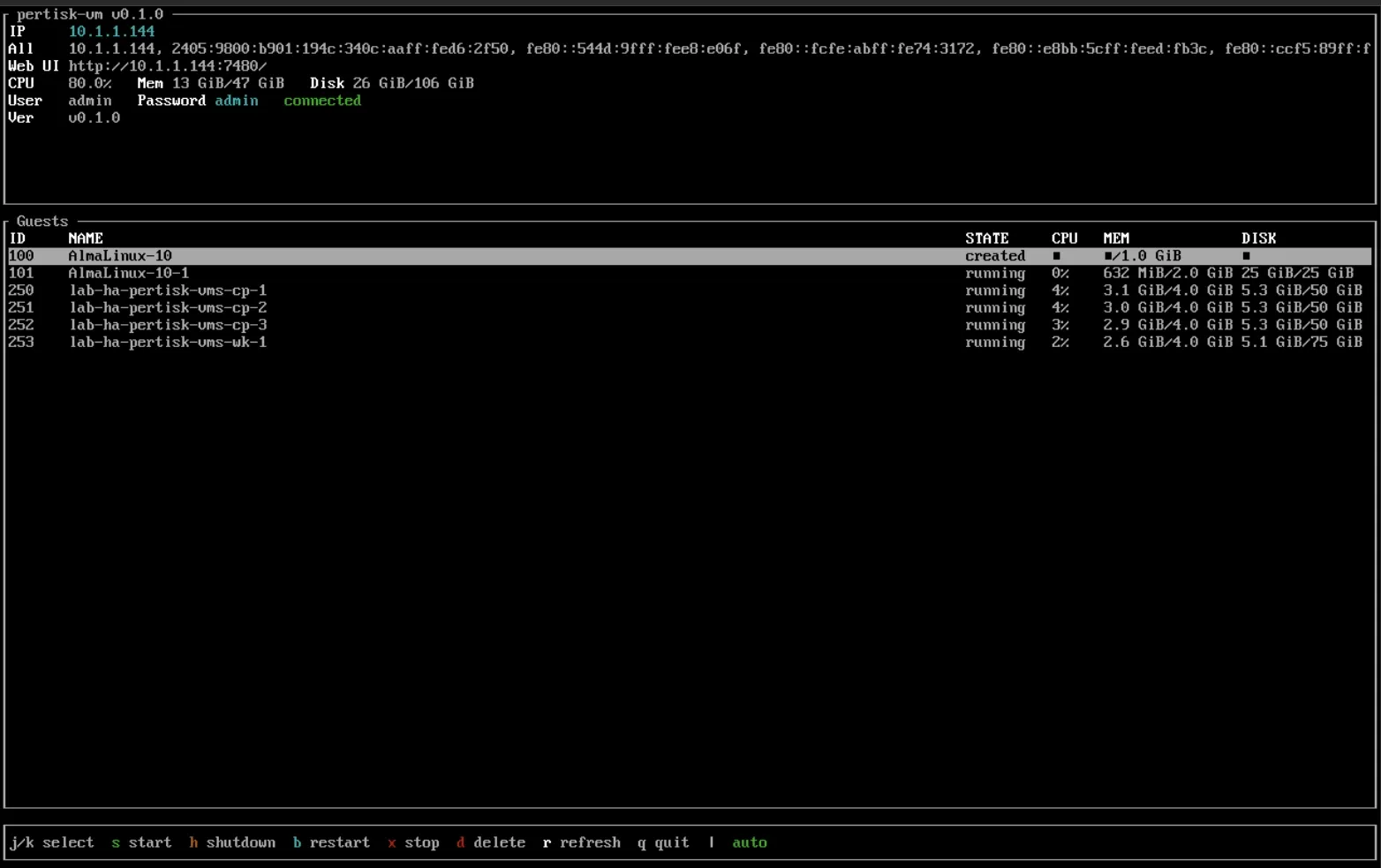
| TUI | pertisk-tui — serial/SSH console: LAN IP, admin password, guest power |
| UI | React app at :7480 (HTTP) / :7443 (HTTPS) |
| Node image | AlmaLinux 10 installer ISO (preferred) or flashable raw / SBC images |
Default bootstrap user is admin. Password is PERTISK_ADMIN_PASSWORD if set, otherwise admin.
Live demo: vms.tools.thaidevops.co
Screenshots
Recapture (Playwright). Metrics pages wait 5s so charts have samples:
KOS_USER=admin KOS_PASS=admin npm run capture:vms
# other host: VMS_URL=https://vms.example VMS_USER=admin VMS_PASS=…
Files: public/images/projects/vms/. Then npm run optimize:images.
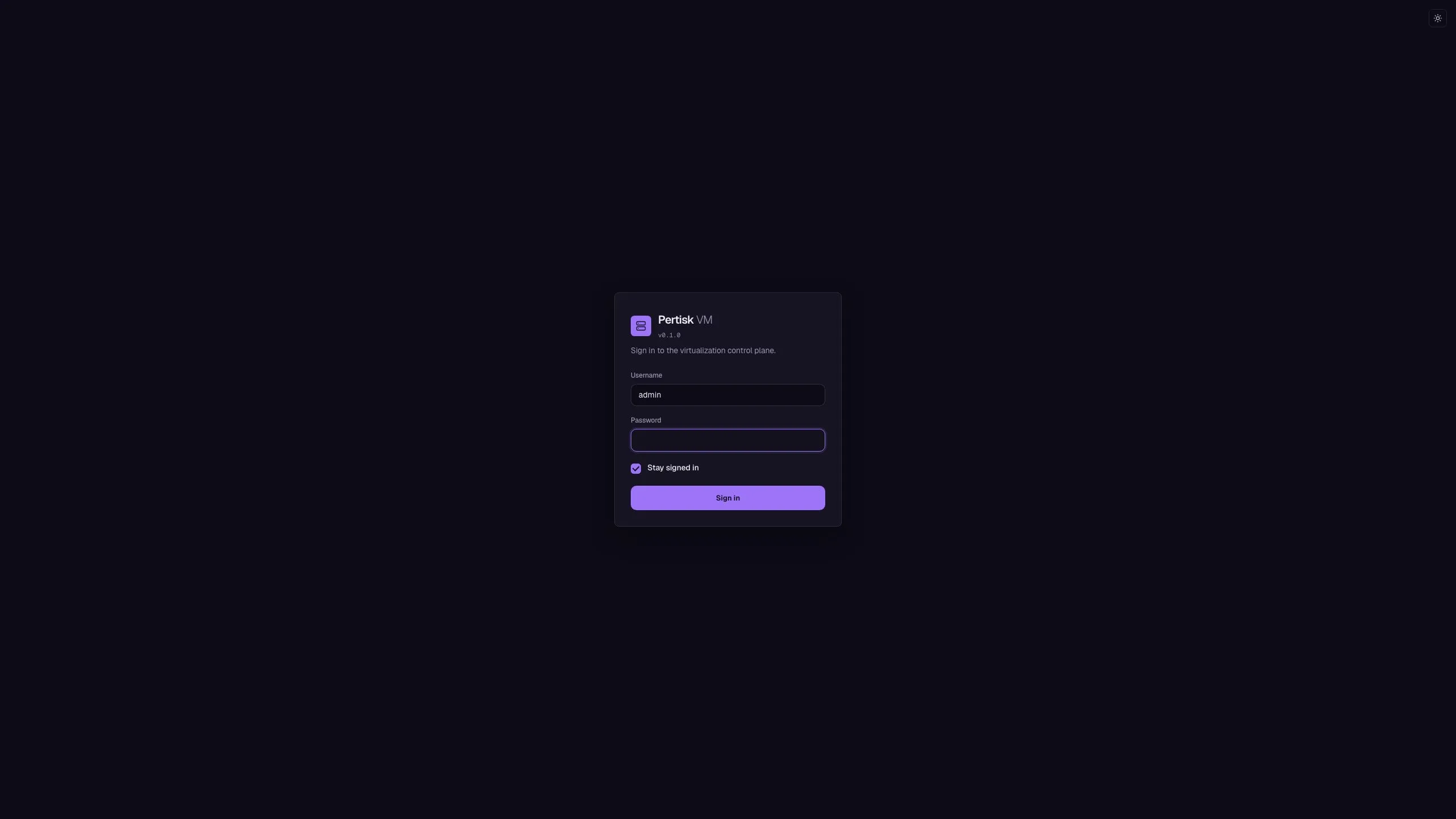
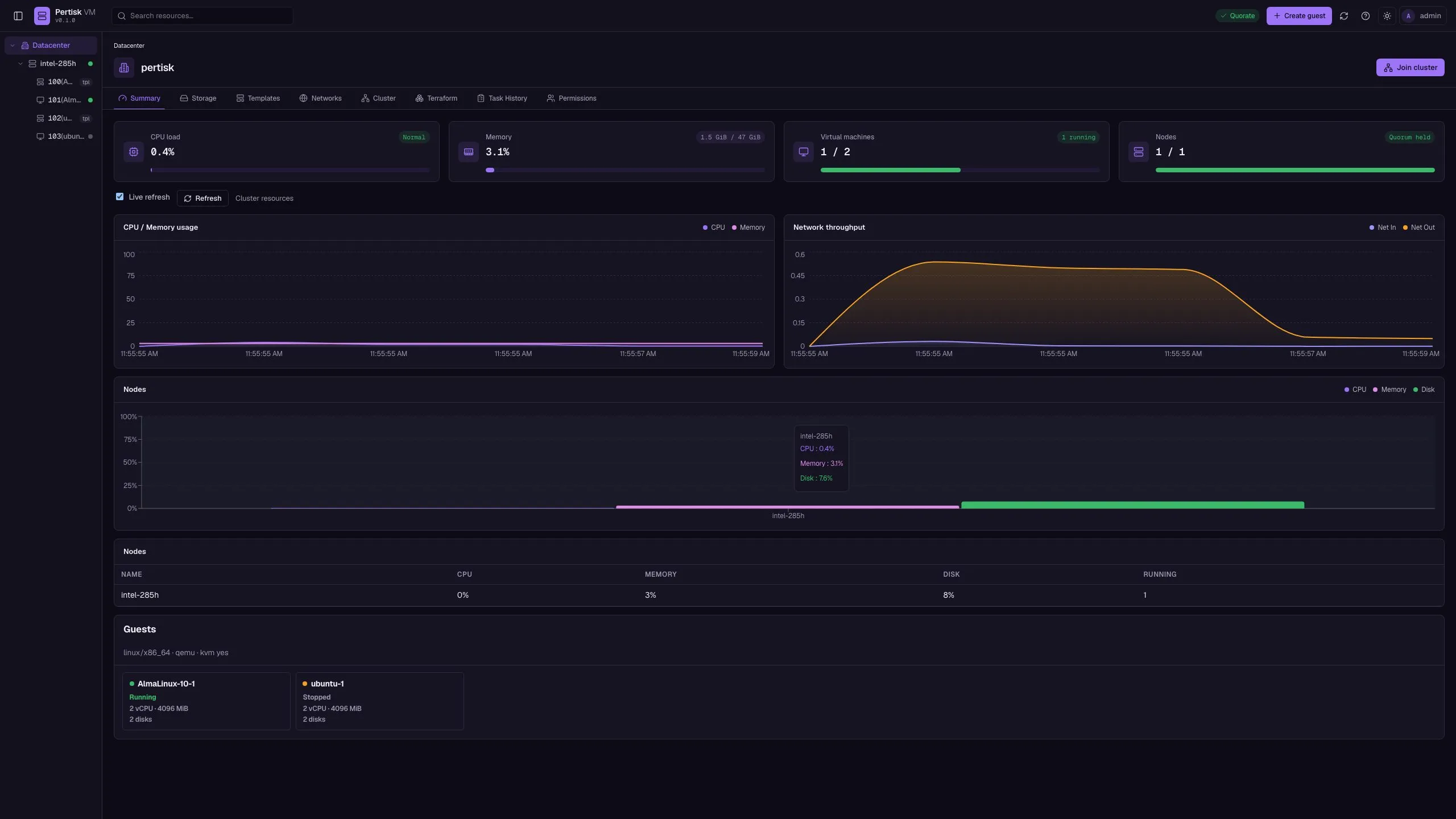
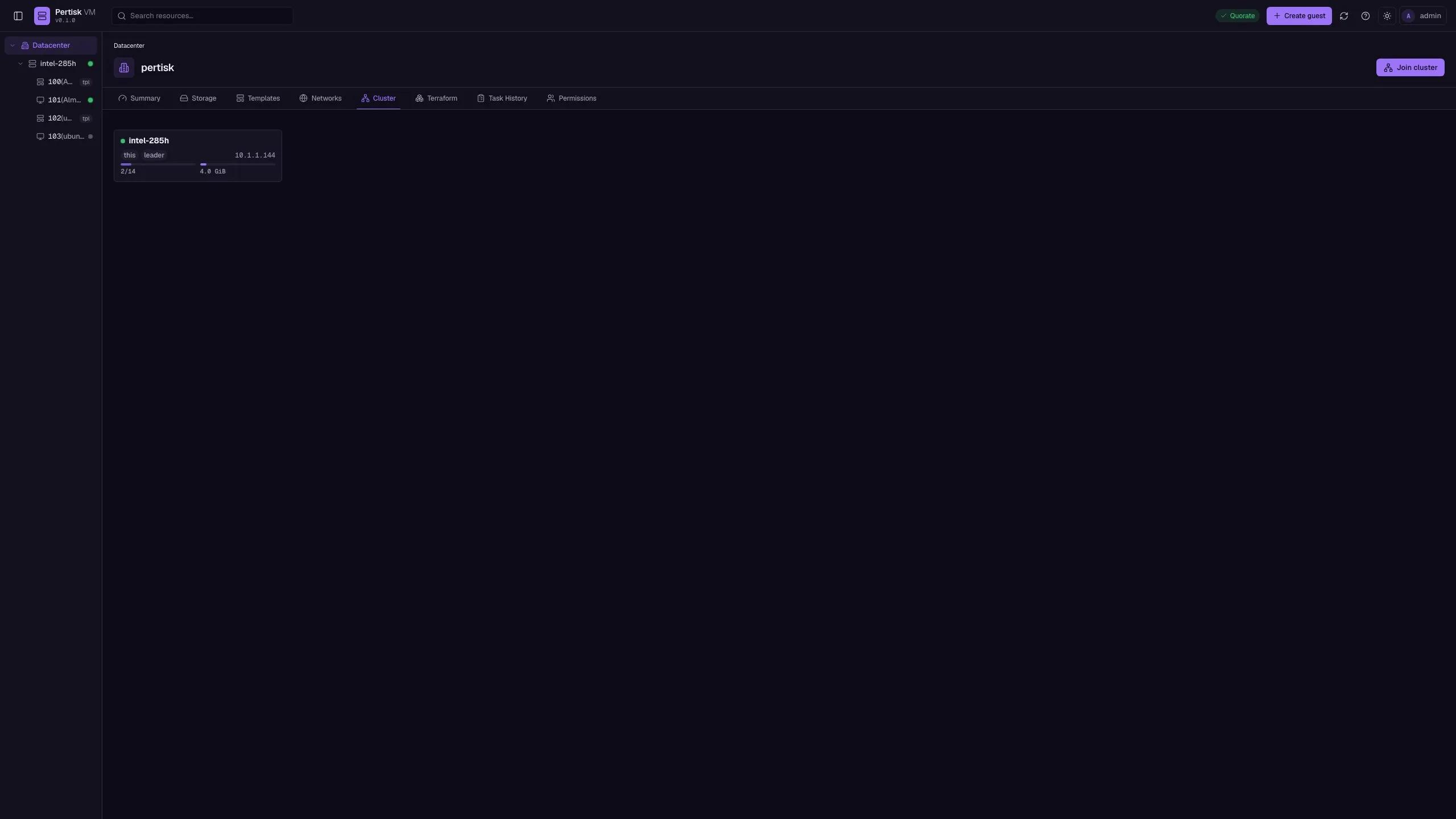
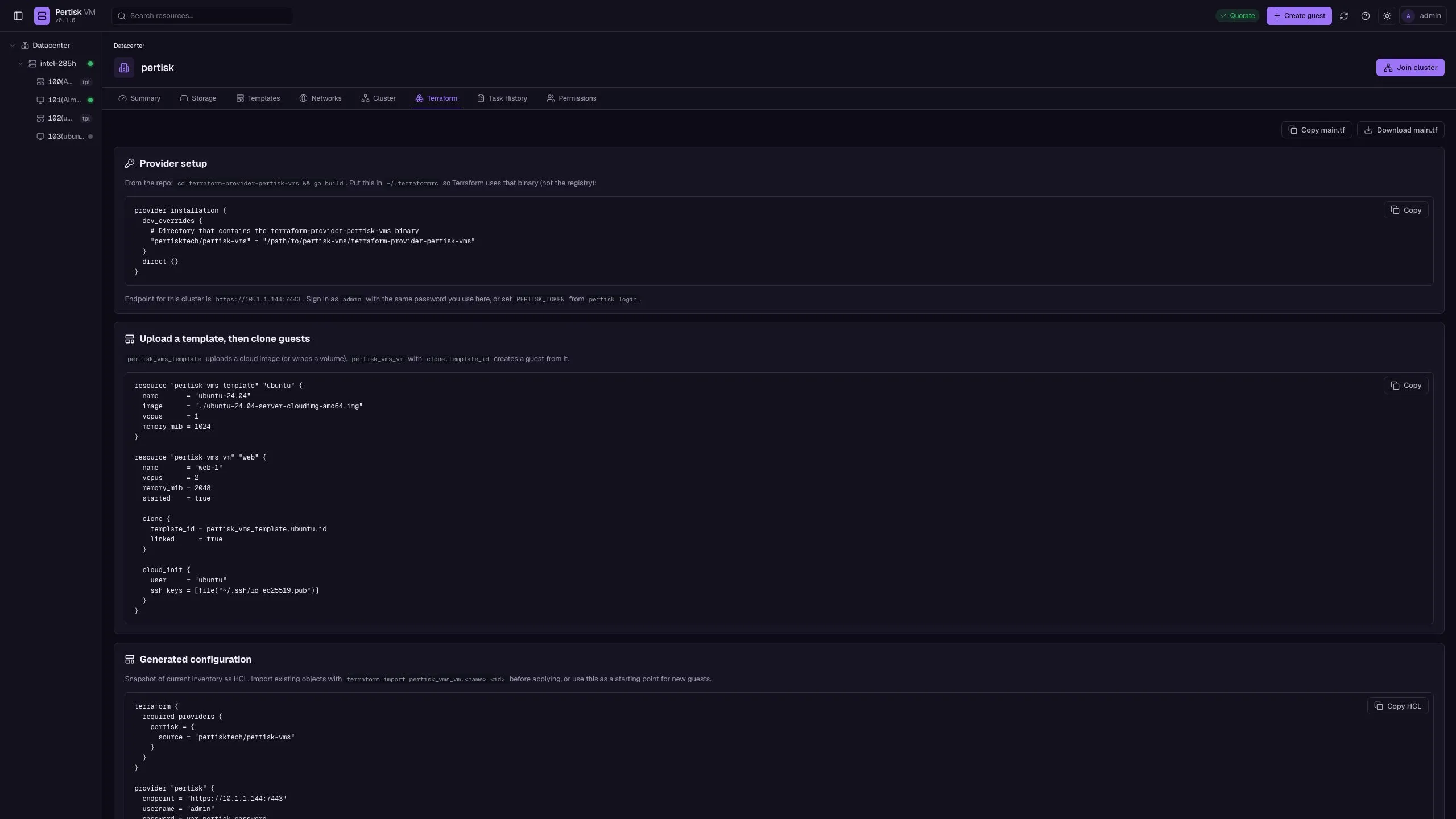
Sign-in and datacenter
Templates
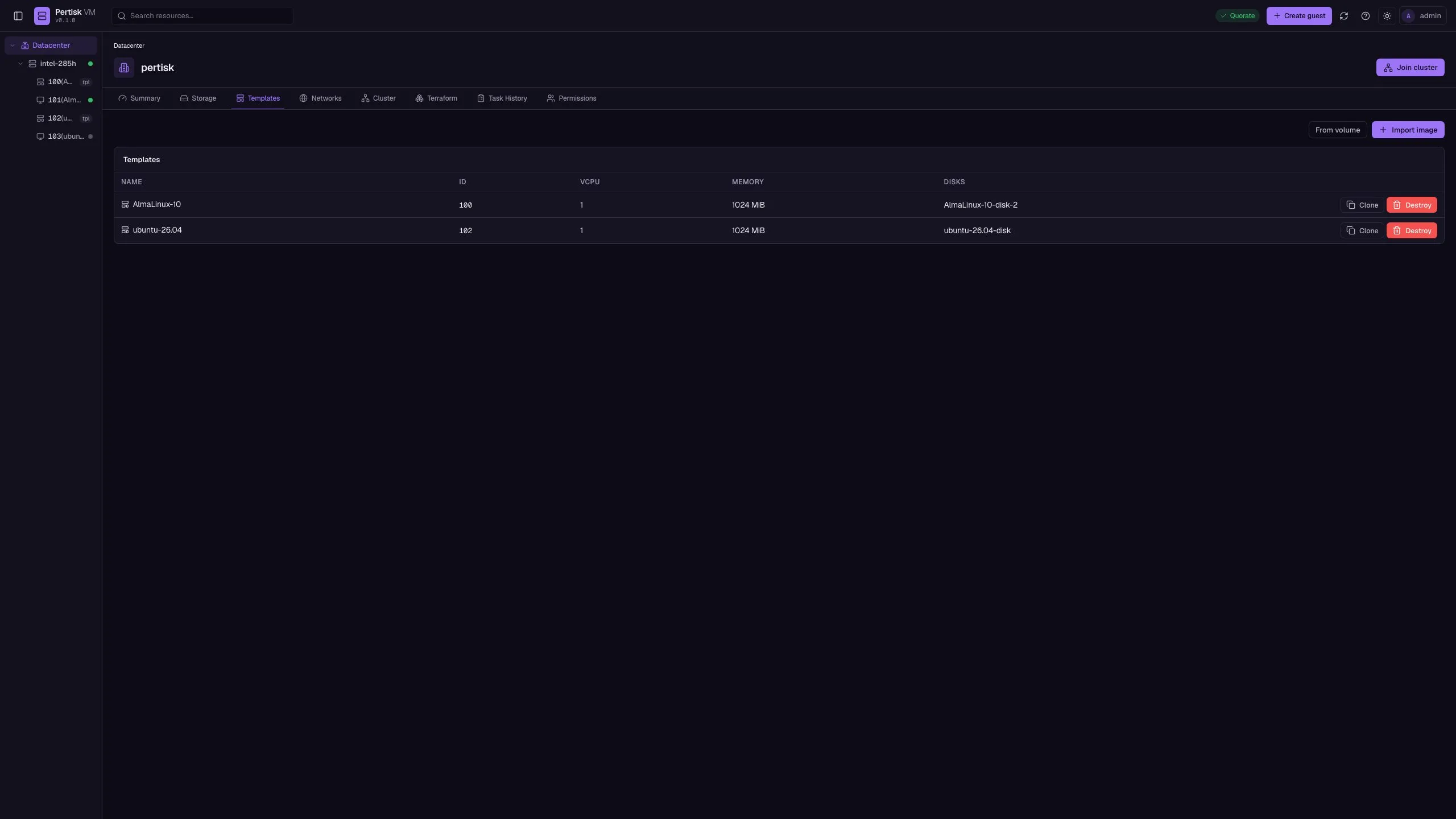
Import a cloud image once, then clone guests with unique cloud-init identity. Templates cannot be started. Options on a stopped guest can Convert to template.
Guest
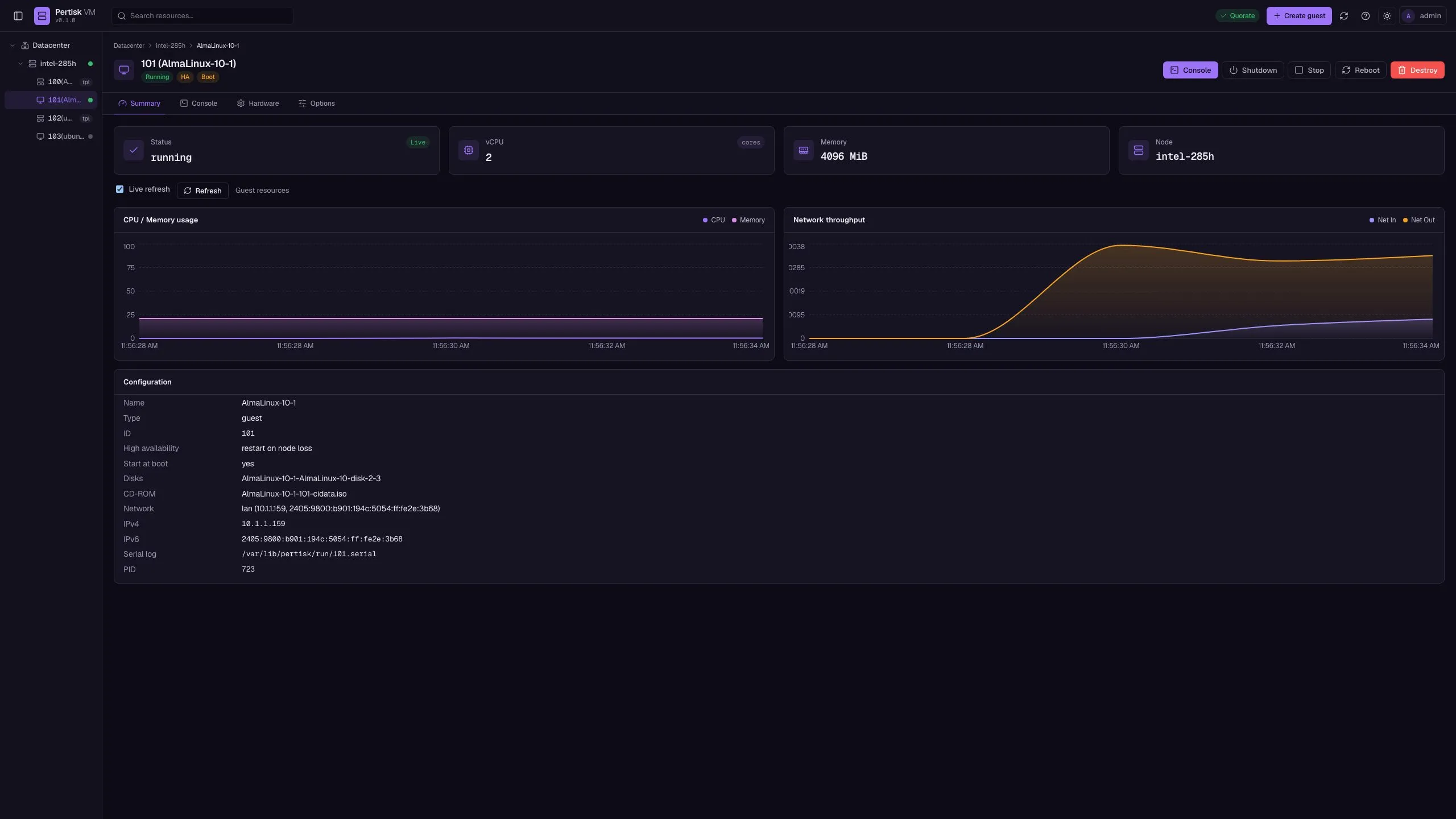
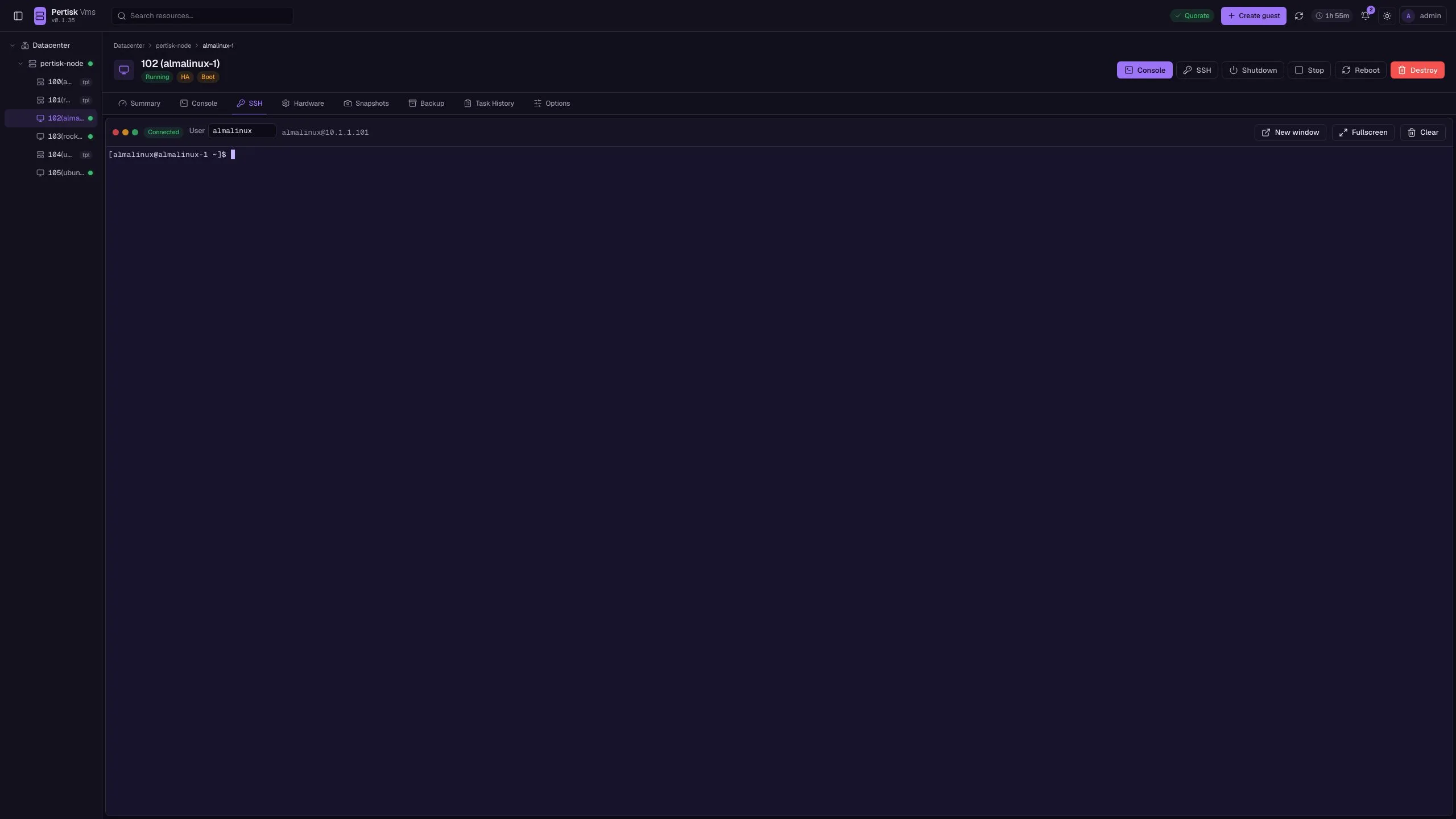
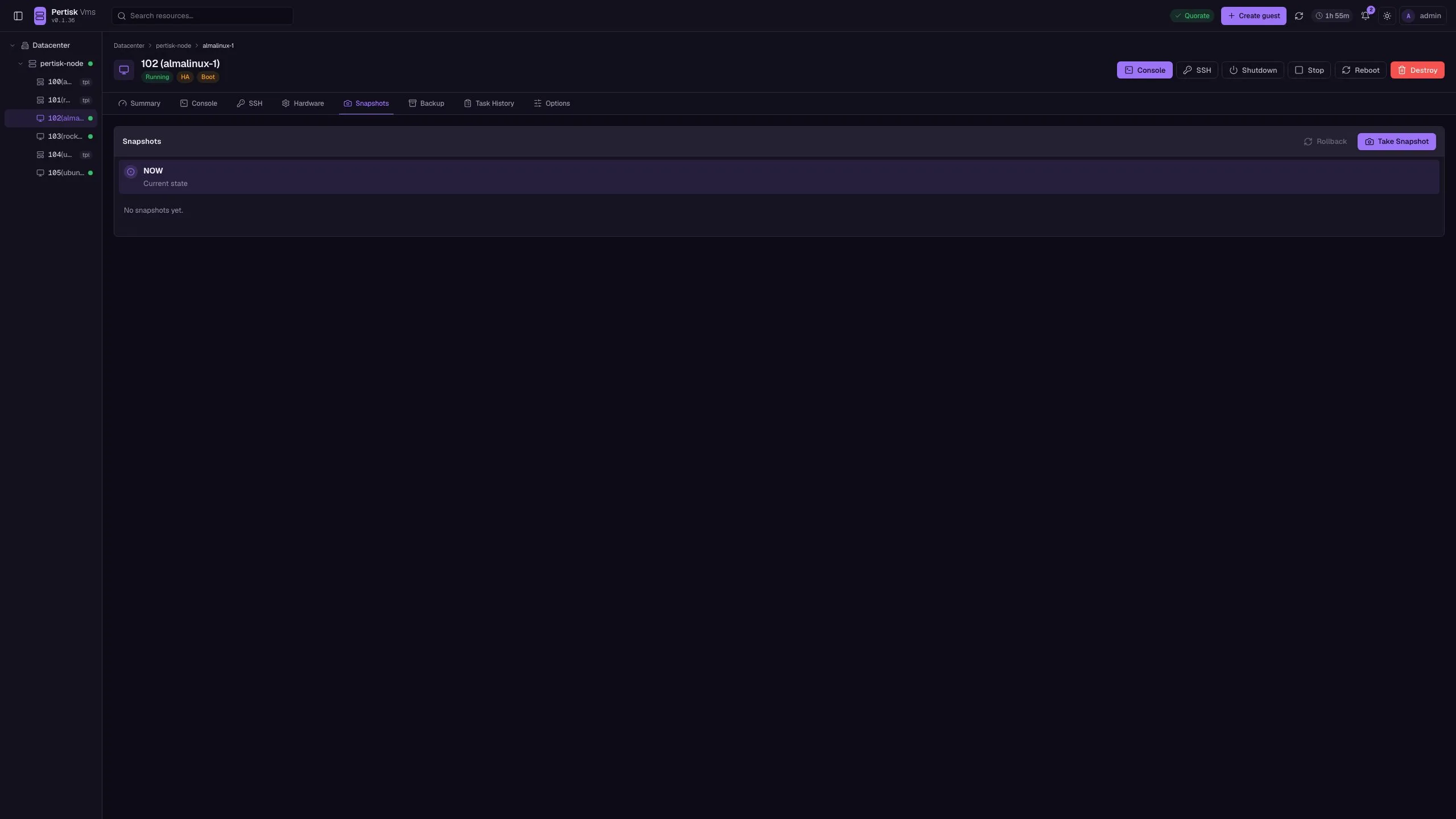
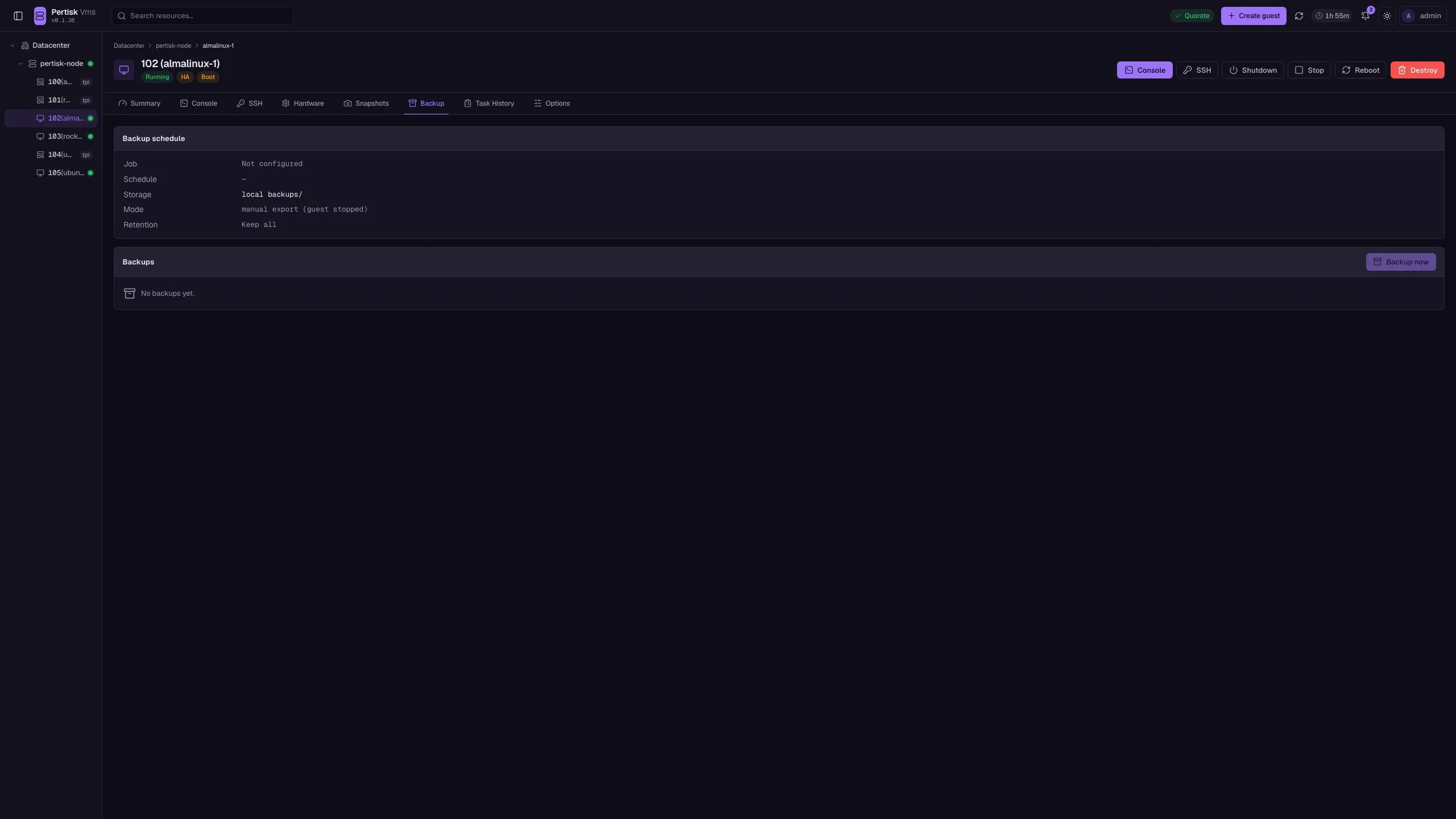
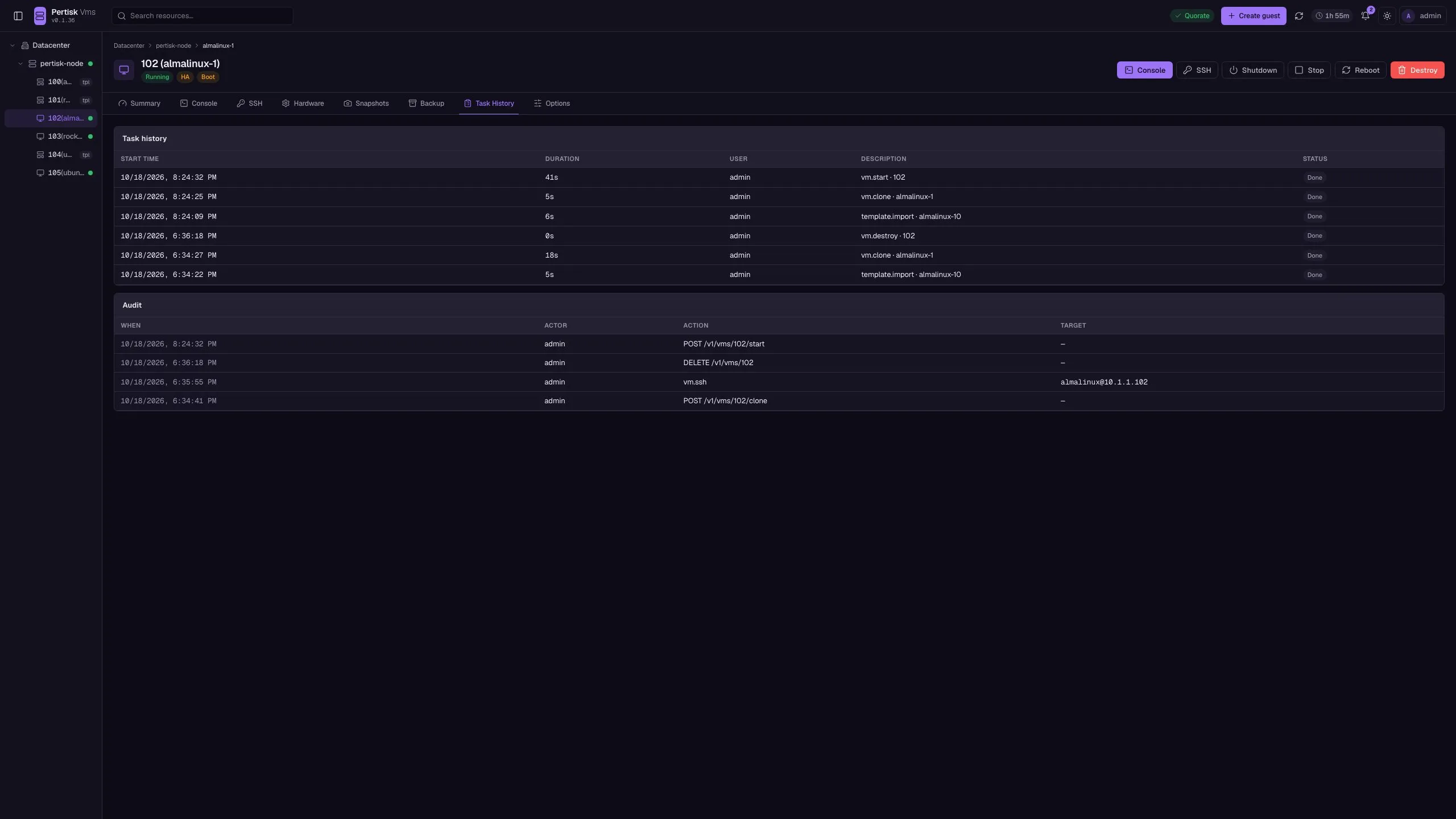
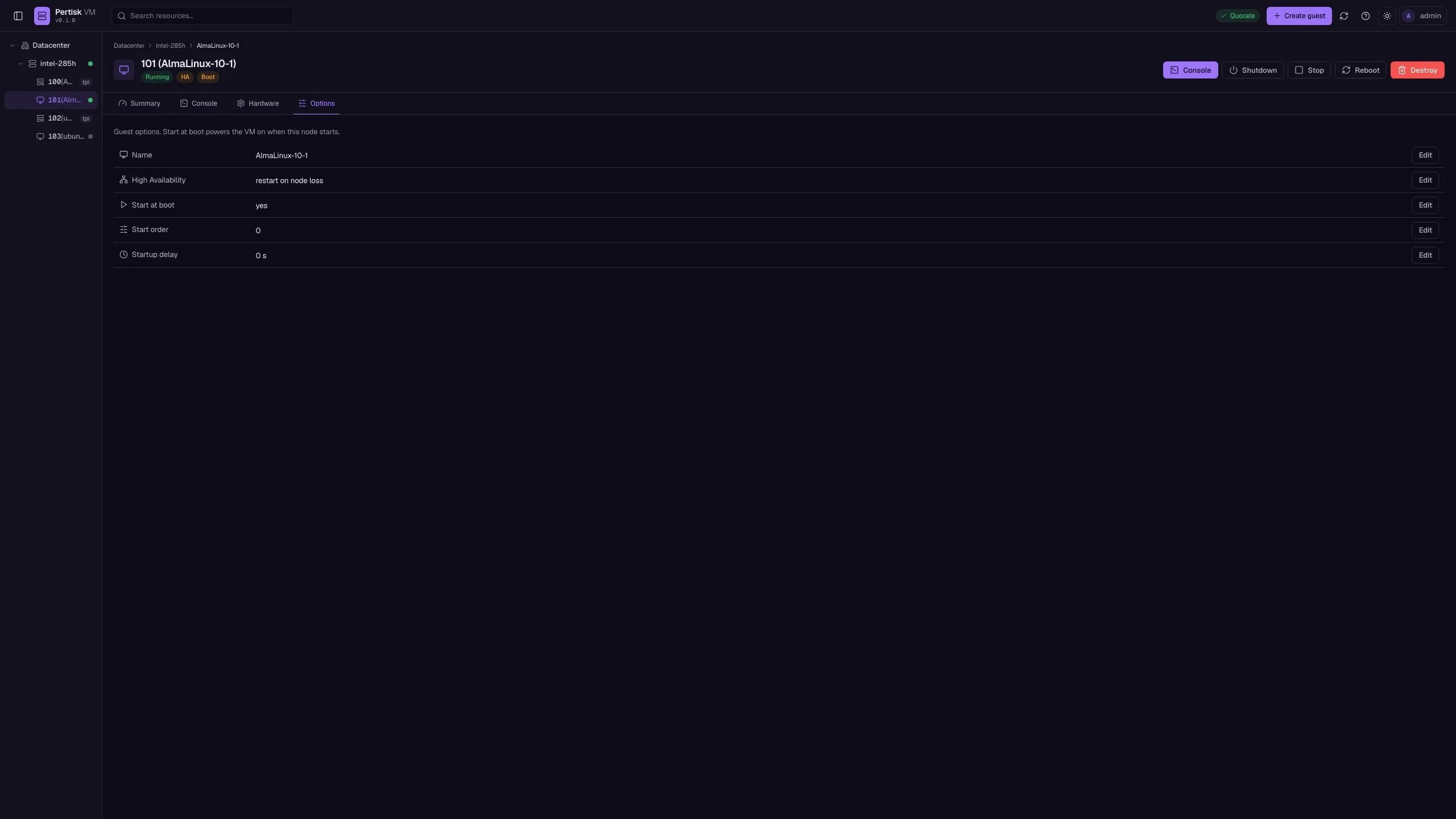
Running guest almalinux-1 (id 102) on node pertisk-node, with live guest charts, in-browser SSH, snapshots, and backups.
Node
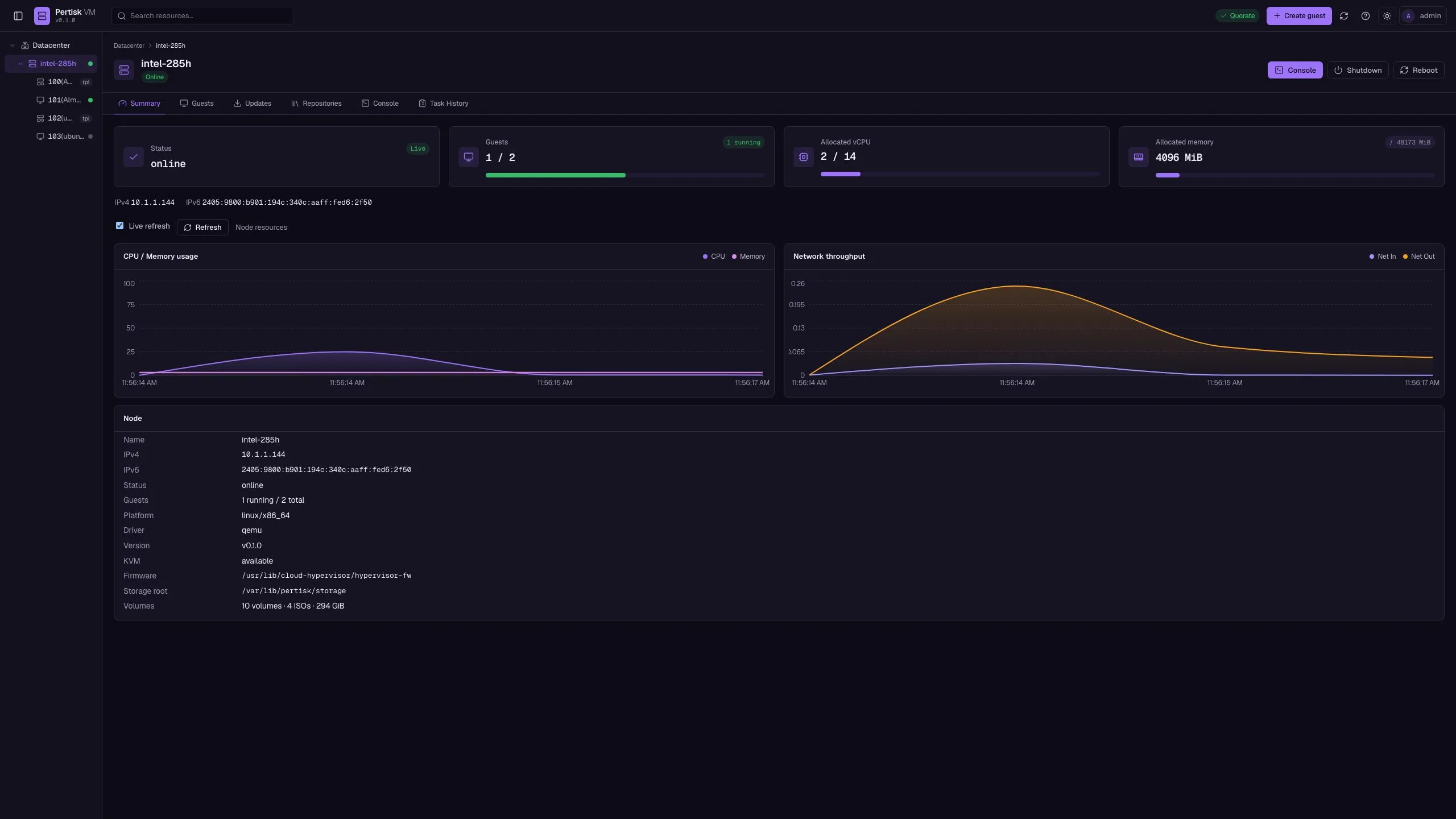
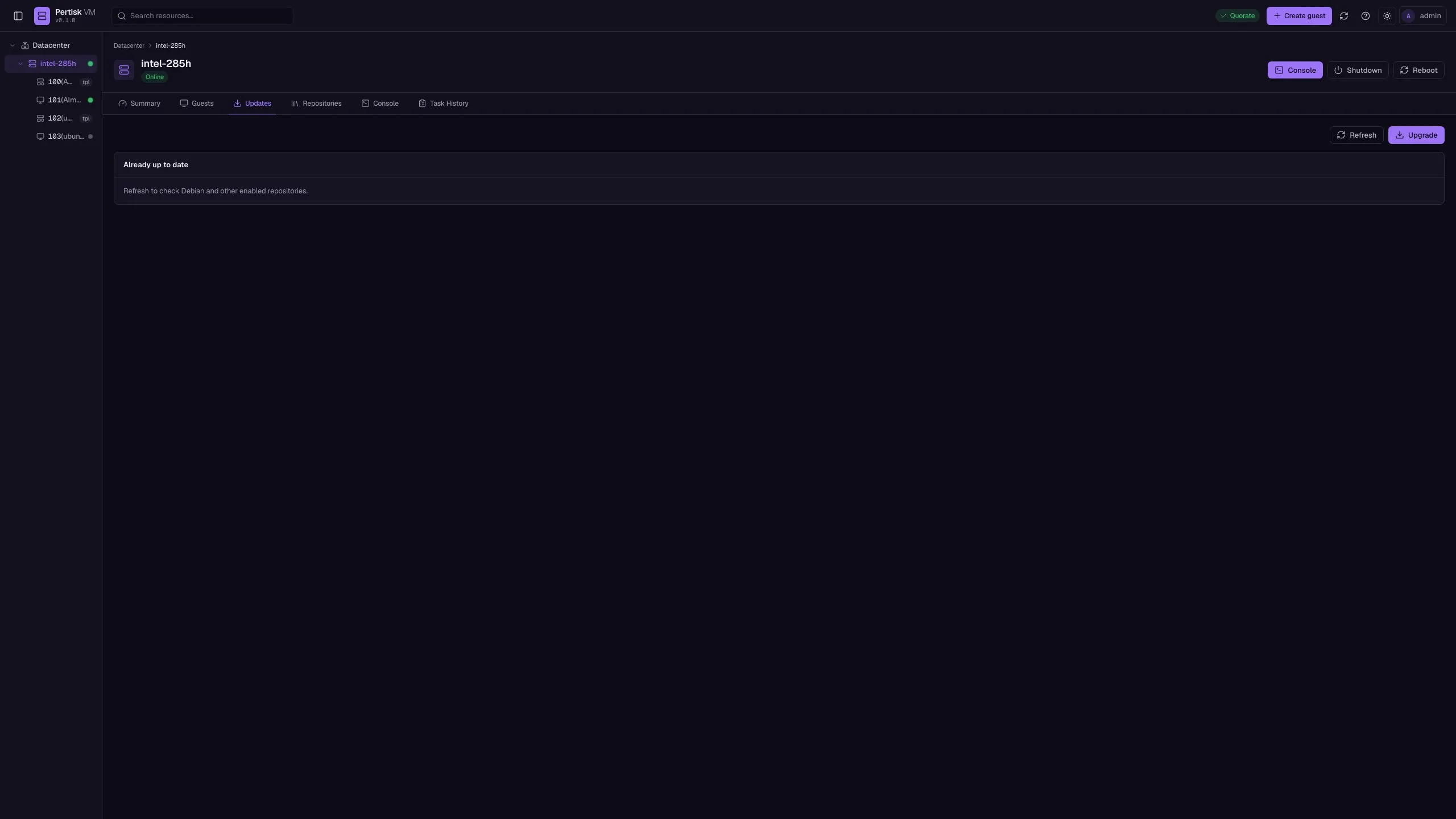
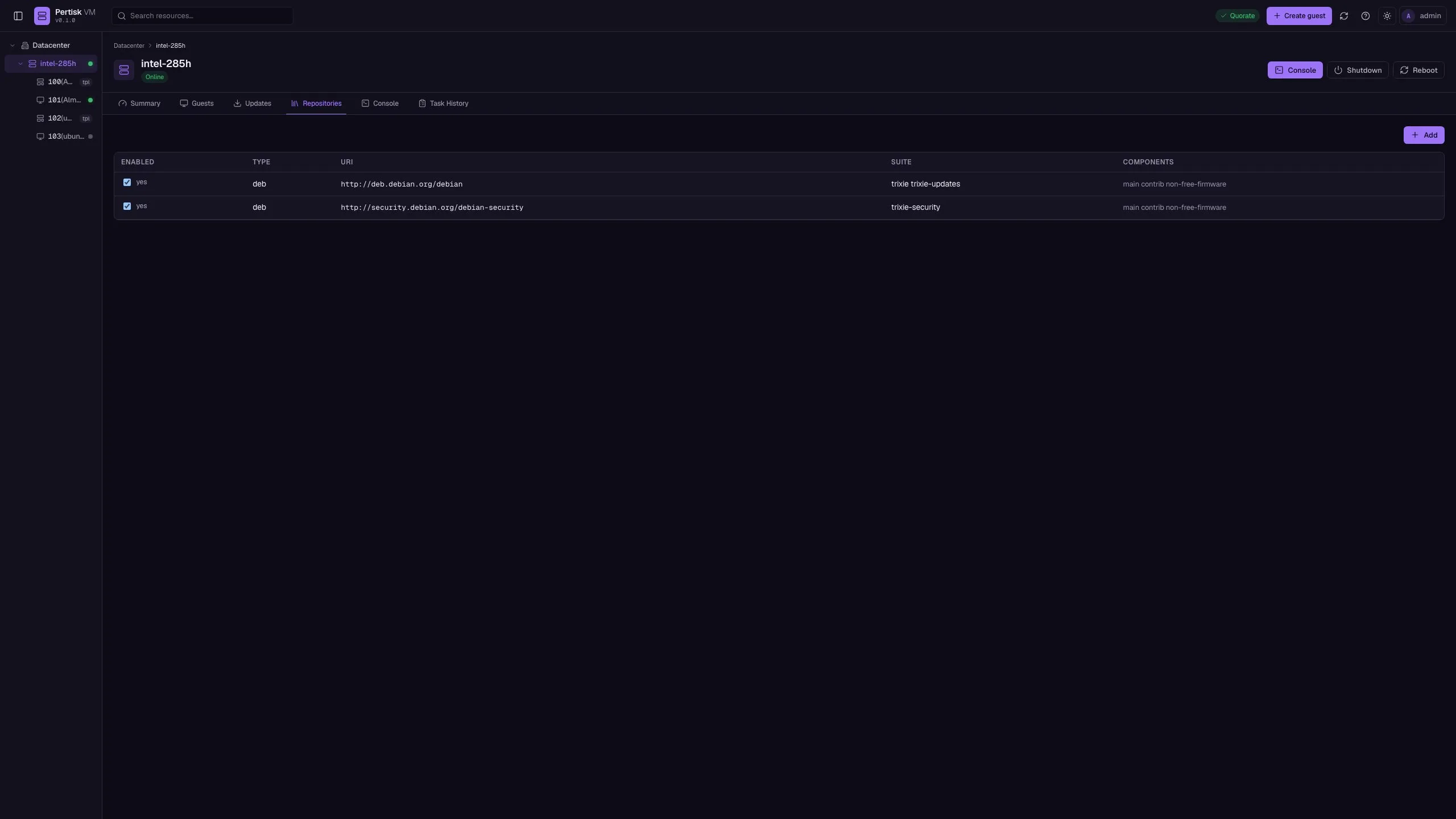
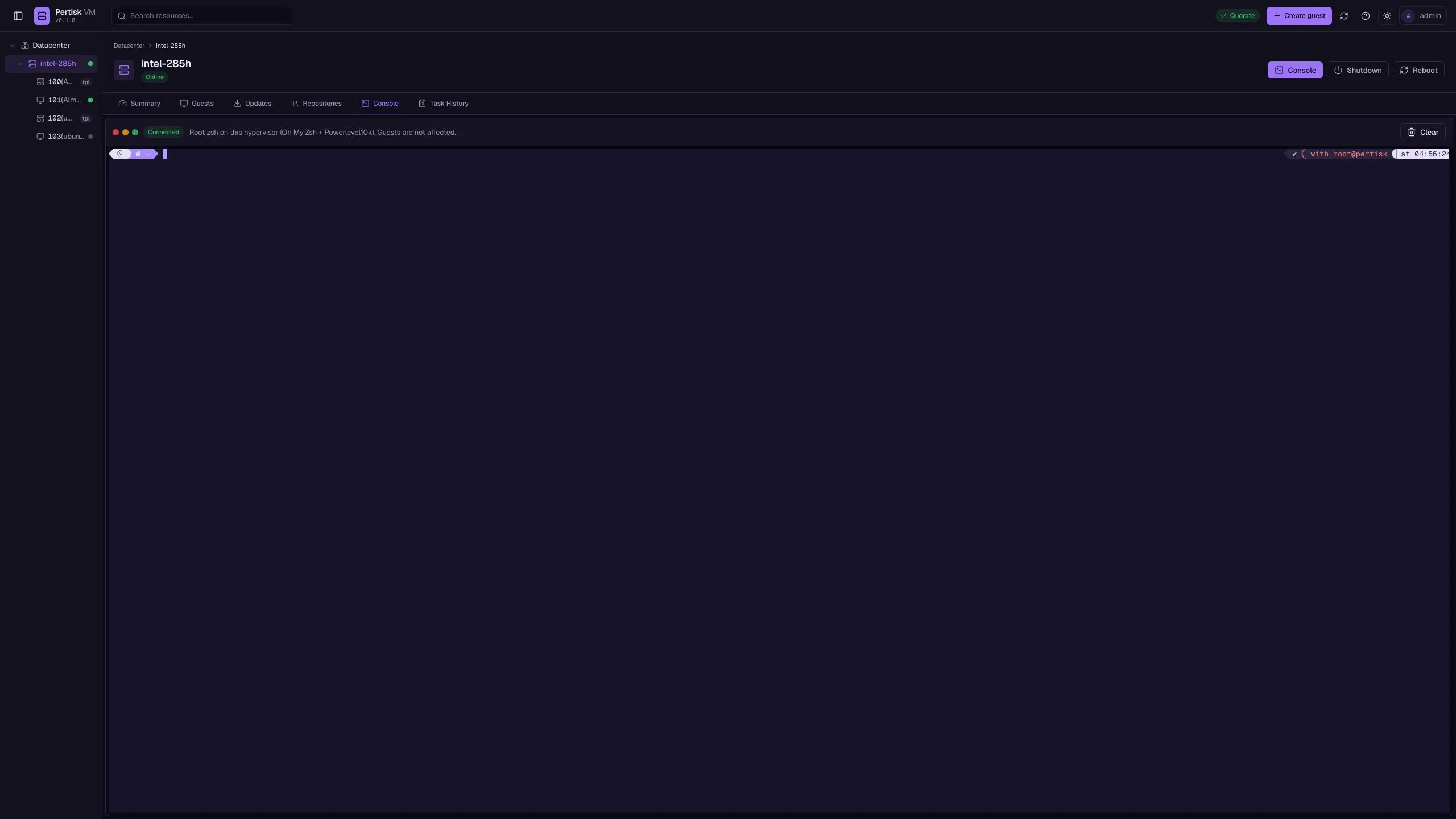
In-place hypervisor updates (apt), repositories, and a root Shell on this node. Guests stay on disk.
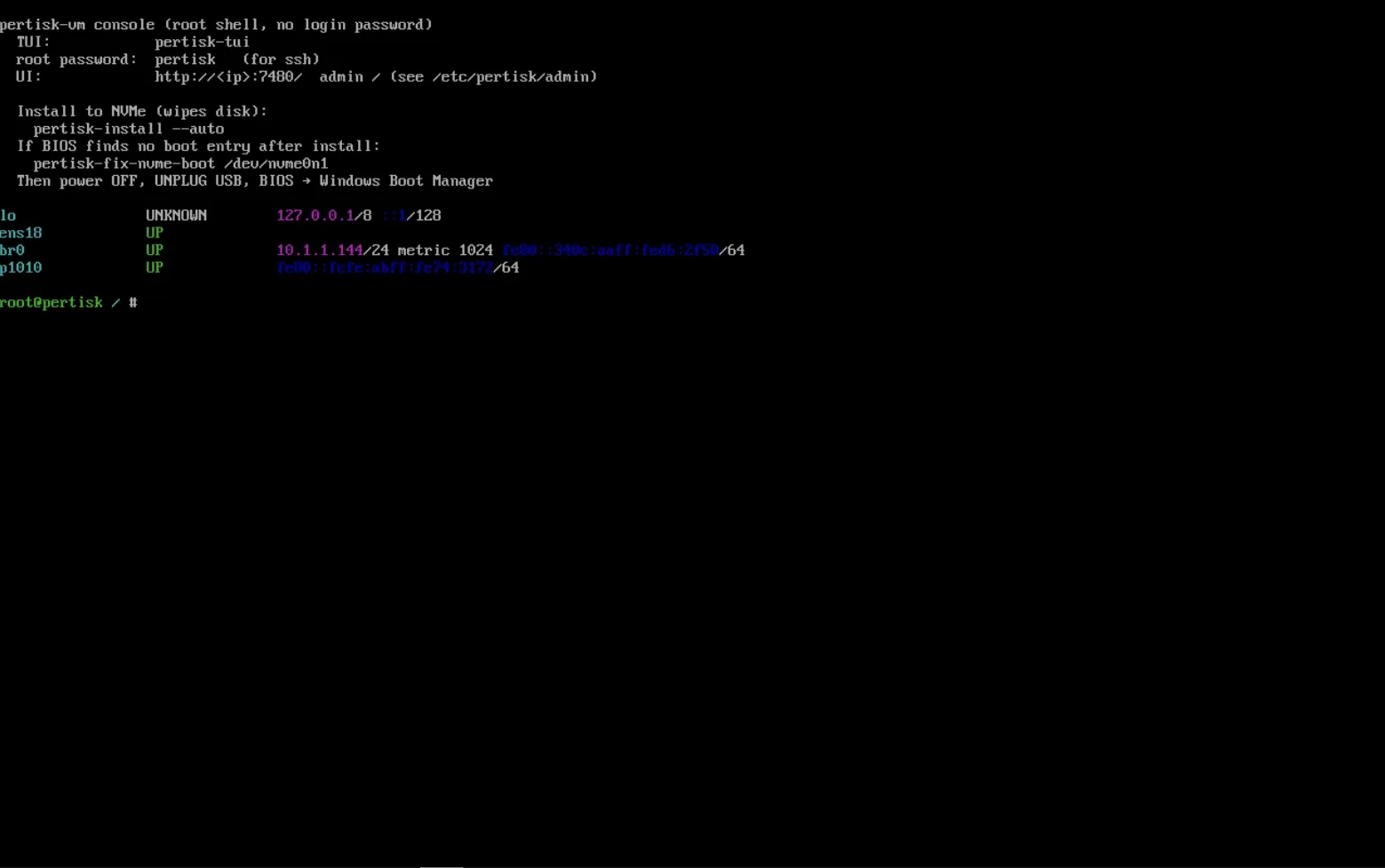
HDMI / serial on the node itself: root MOTD (LAN, UI URL, install hints) and pertisk-tui for guest power without SSH.
Storage, network, and access
Admin UI
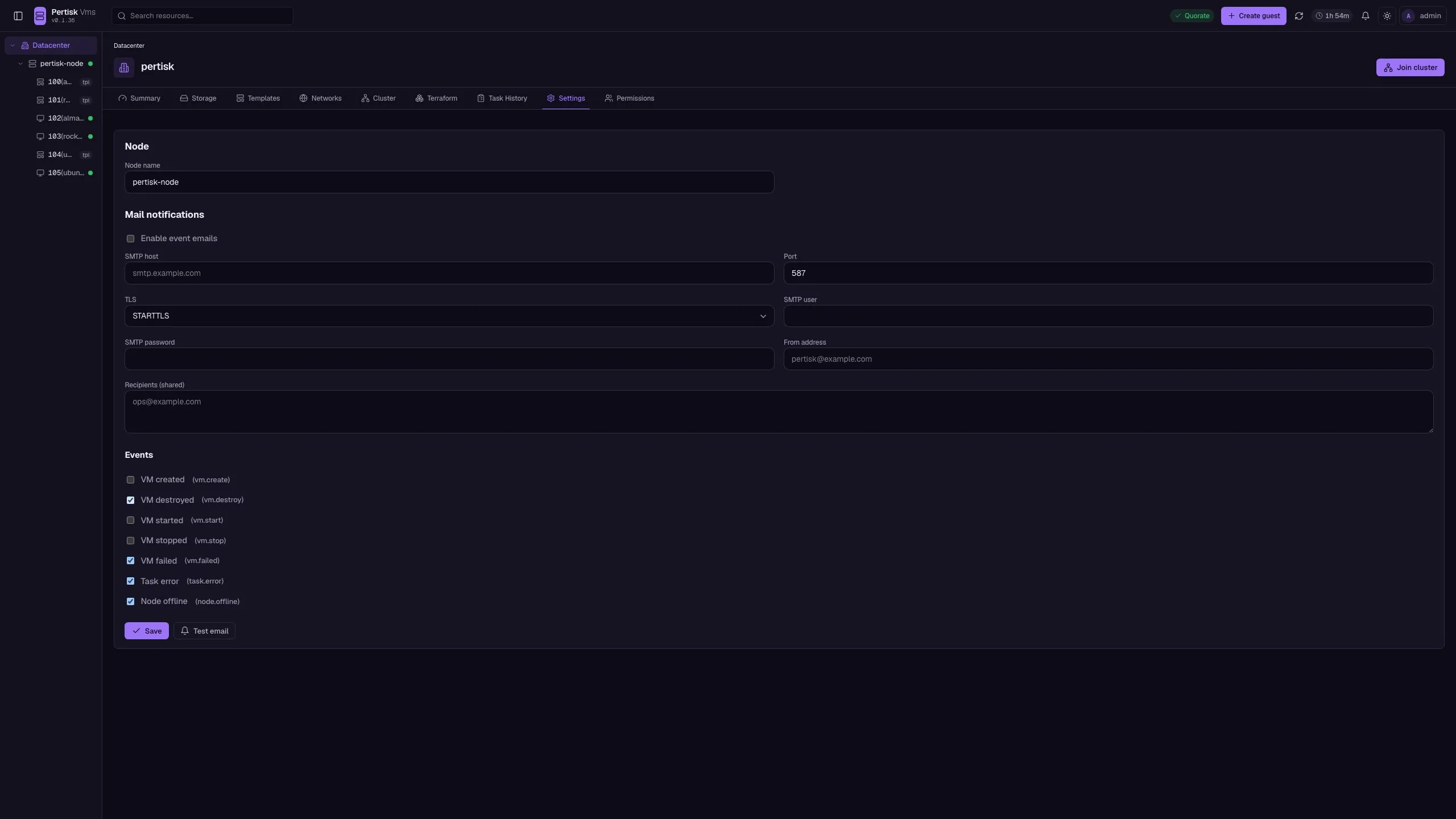
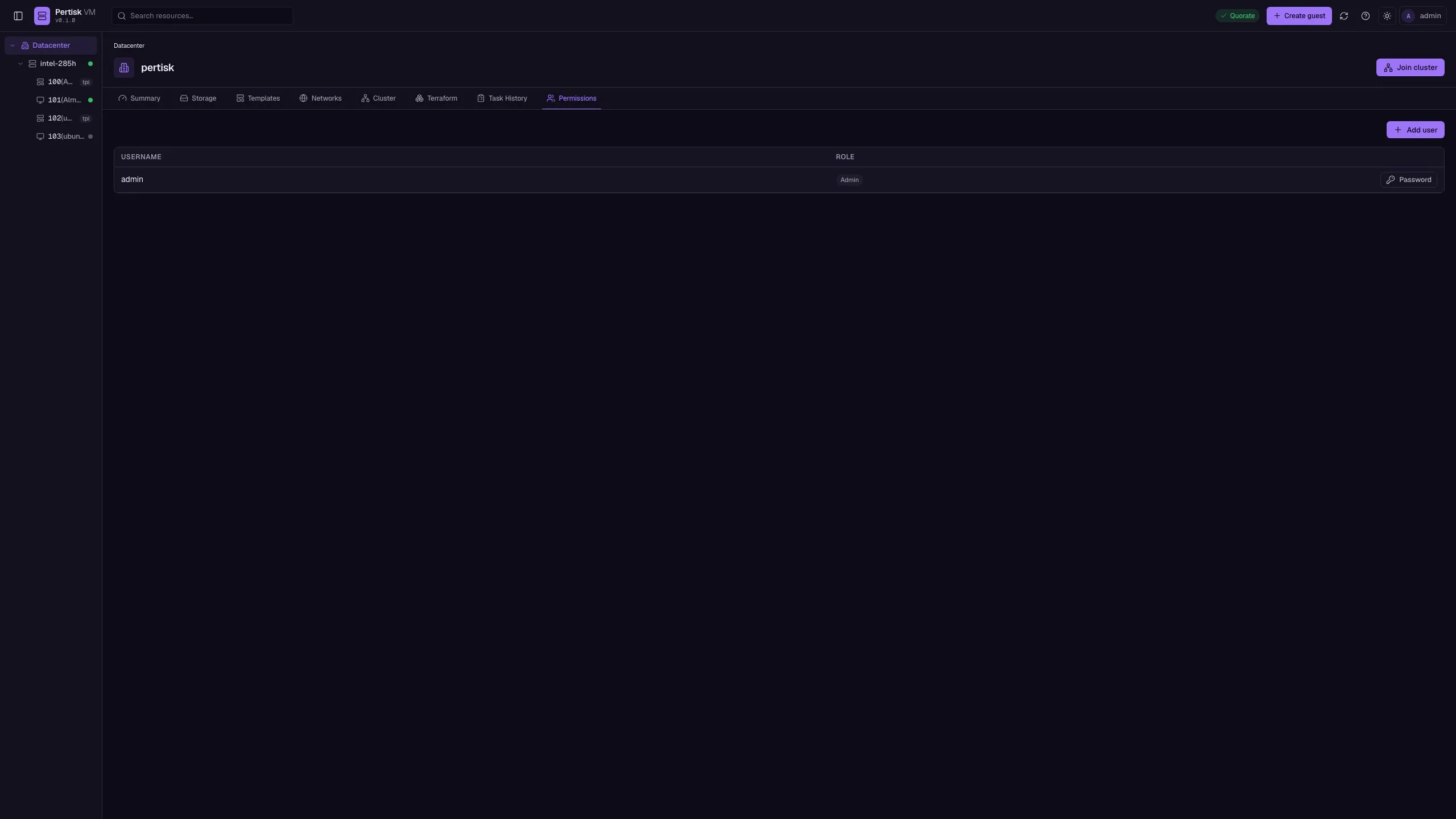
HashRouter app (/#/…). Chrome: resource tree, search, Quorate, Create guest, Join cluster, theme, user menu / Sign out. Roles: viewer (read), operator (mutate guests), admin (users). Tabs include Settings and Permissions.
| Page | Path | Shows / actions |
|---|---|---|
| Login | /#/login |
Username, password, Stay signed in, Sign in |
| Overview | /#/dc/summary |
Guests live, nodes, quorum, volumes, live charts |
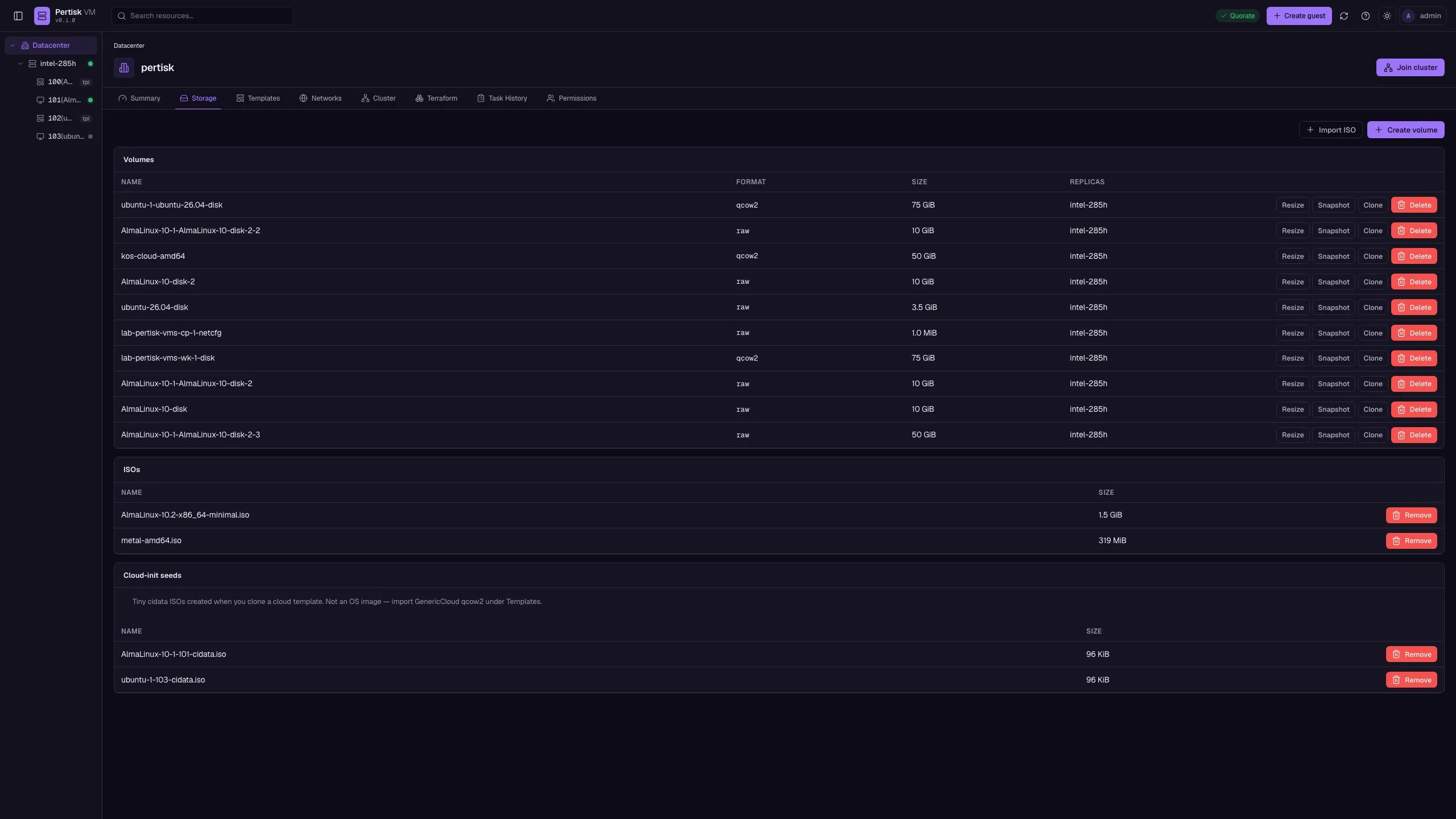
| Storage | /#/dc/storage |
Volumes (replica/RBD), import ISO, cloud-init ISO |
| Templates | /#/dc/templates |
Cloud images; import, clone, destroy |
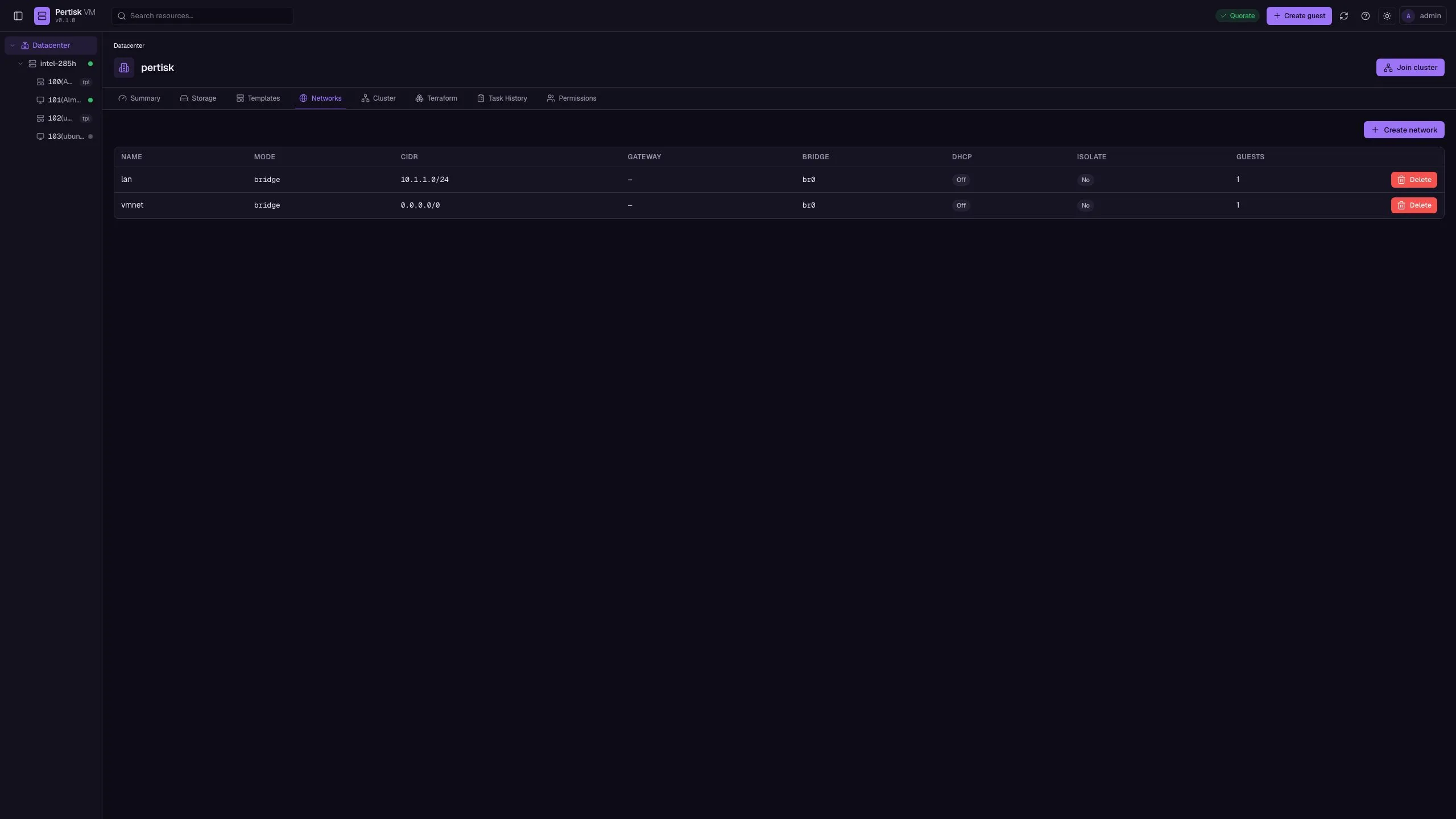
| Networks | /#/dc/networks |
NAT or bridged (vmbr0 / br0) |
| Cluster | /#/dc/cluster |
Members, Disarm HA, Drain this node, replica≠RBD banner |
| Terraform | /#/dc/terraform |
Provider HCL, template clone example, inventory snapshot |
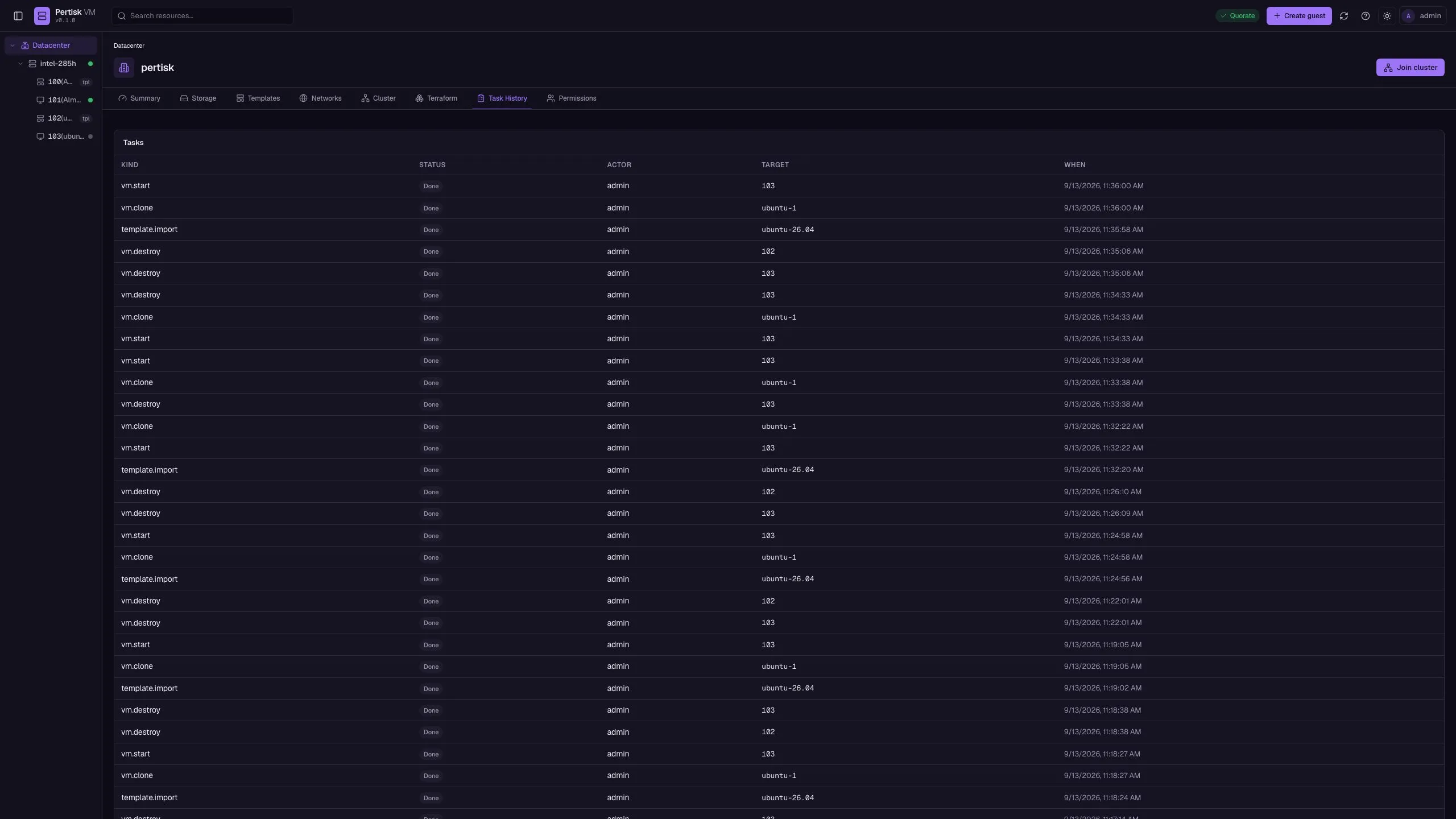
| Tasks | /#/dc/tasks |
Activity log |
| Settings | /#/dc/settings |
Node name, SMTP notifications, event filters |
| Users | /#/dc/users |
Permissions — create user, role |
| Node | /#/node/:id/summary |
Host summary + live metrics |
| Node guests | /#/node/:id/guests |
Guests on that node |
| Node updates | /#/node/:id/updates |
apt refresh / dist-upgrade (hypervisor only) |
| Repositories | /#/node/:id/repositories |
apt sources |
| Node shell | /#/node/:id/shell |
Root terminal on this hypervisor |
| Guest | /#/vm/:id/summary |
Spec, power, live metrics, dual-stack addresses |
| Console | /#/vm/:id/console |
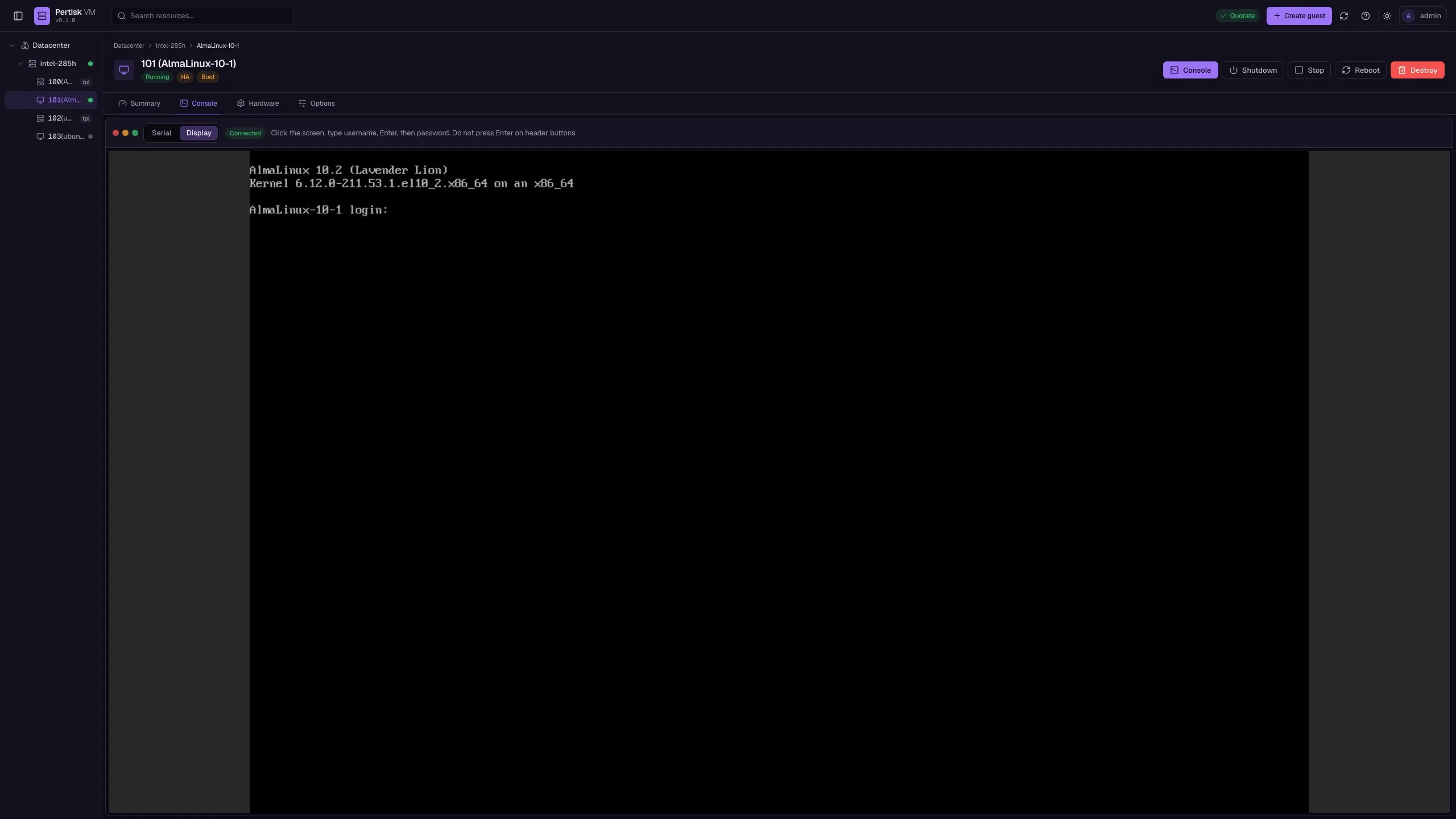
Serial websocket or VNC Display (QEMU graphics) |
| SSH | /#/vm/:id/ssh |
In-browser SSH (cloud-init user); New window / Fullscreen |
| Hardware | /#/vm/:id/hardware |
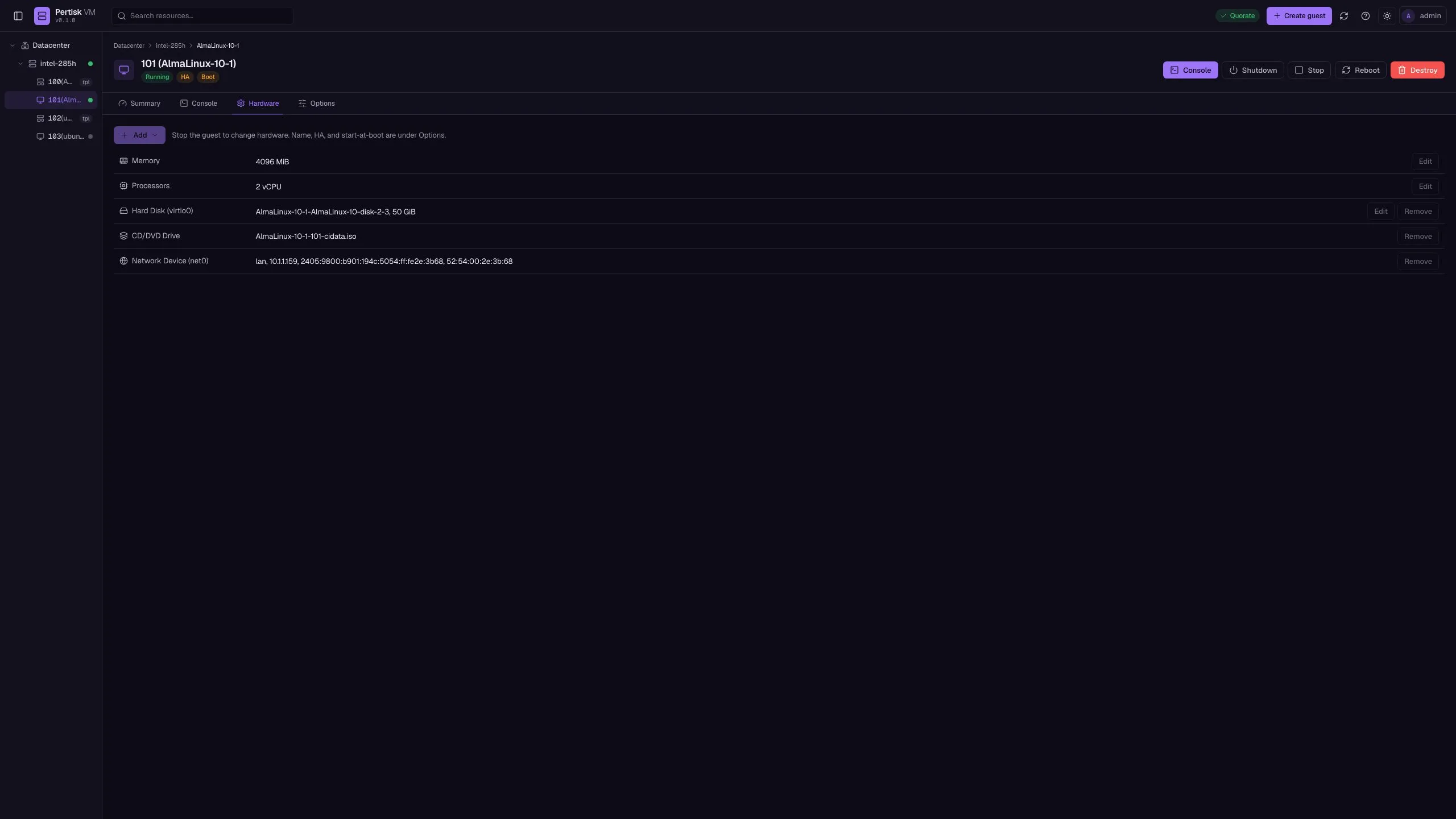
CPU / memory / disks / NICs / CD-ROM |
| Snapshots | /#/vm/:id/snapshots |
Named snapshots across guest disks |
| Backup | /#/vm/:id/backup |
Manual export while the guest is stopped |
| Task history | /#/vm/:id/tasks |
Per-guest jobs |
| Options | /#/vm/:id/options |
HA, autostart, convert to template |
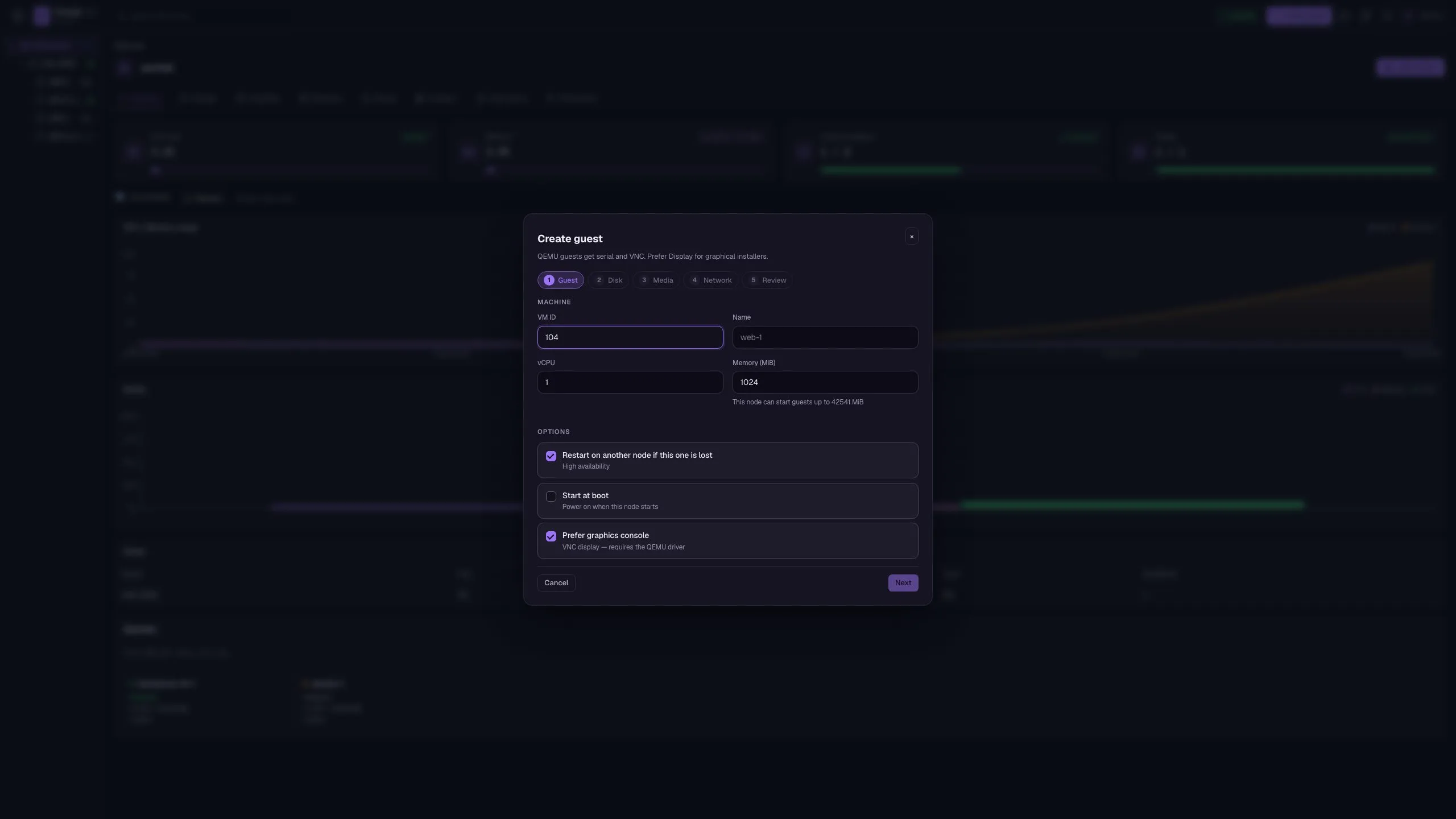
Create guest wizard: Guest → Disk → Media → Network → Review. HA defaults on; QEMU can enable graphics (VGA/VNC).
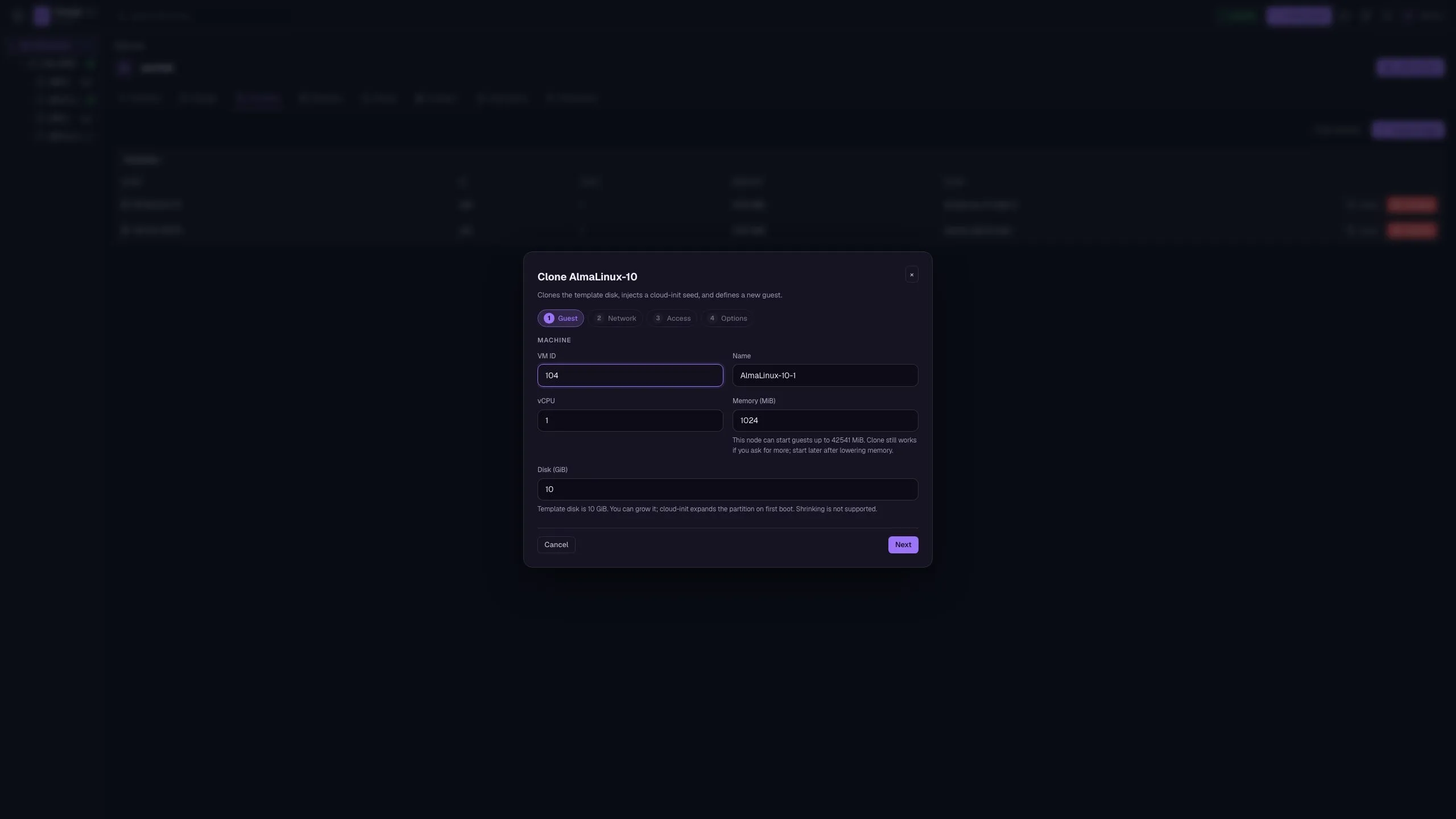
Clone wizard (from a template): Guest → Network → Access → Options. Injects a cloud-init seed; templates cannot be started.
Quick start
git clone https://github.com/pertisktech/pertisk-vms.git
cd pertisk-vms
cargo test --workspace
PERTISK_ADMIN_PASSWORD=admin cargo run -p pertisk-daemon
cargo run -p pertisk-cli -- login -u admin -p admin
cargo run -p pertisk-cli -- cluster statusWeb UI: http://127.0.0.1:7480/
OpenAPI: http://127.0.0.1:7480/v1/openapi.json
Vite UI hot reload: cd web/ui && npm run dev (proxies /v1 to the daemon). Rebuild into the daemon with npm run build in web/ui.
Cluster and HA
Writes need majority quorum. A node that loses quorum fences itself (stops local VMs) so the majority can HA-restart them, unless HA is disarmed for maintenance (pertisk cluster ha-disarm or Cluster → Disarm HA). pertisk vm migrate and pertisk cluster drain restart the guest on the destination, then stop it on the source — that is not live memory migrate.
PERTISK_HOME=/tmp/p1 cargo run -p pertisk-daemon -- --listen 127.0.0.1:7481 --node-name n1 --driver mock
PERTISK_HOME=/tmp/p2 cargo run -p pertisk-daemon -- --listen 127.0.0.1:7482 --node-name n2 --driver mock --join http://127.0.0.1:7481
PERTISK_HOME=/tmp/p3 cargo run -p pertisk-daemon -- --listen 127.0.0.1:7483 --node-name n3 --driver mock --join http://127.0.0.1:7482
Join from a running node: pertisk --url http://127.0.0.1:7482 cluster join --peer http://127.0.0.1:7481 -u admin -p admin.
| Topic | Detail |
|---|---|
| Quorum | Majority: online * 2 > total (3 nodes can lose 1) |
| Fence | Losing quorum stops local VMs (paused while HA is disarmed) |
| HA restart | Quorate members reschedule HA guests |
| Drain | Restart-migrate running guests off this node |
| Heartbeat | Default 1000 ms; offline after 5000 ms |
Storage and network
| Setting | Default | Notes |
|---|---|---|
storage.backend |
replica |
Sparse files copied across nodes. Lab / single-node only — unsynced writes can be lost if the owner dies mid-run |
rbd |
production HA | Ceph RBD when rbd is on PATH; guests can restart on another node |
| HA / migrate | — | Replica guests stay on the lost node; the UI warns when HA is on replica |
| Runtime writes | owner node | Pushed to replicas on stop and before migrate |
| Linux bridges | apply_host_links = true |
Creates bridge/TAP with ip |
| qcow2 | — | Needs qemu-img |
Linux guests
KVM kernel guest:
PERTISK_ADMIN_PASSWORD=admin ./scripts/linux-guest.shISO guest (firmware + Cloud Hypervisor or QEMU):
./scripts/linux-host.sh
PERTISK_ADMIN_PASSWORD=admin ./scripts/linux-iso-guest.sh
pertisk iso import /path/to/alpine-virt.iso
pertisk vm create --name alpine --cpus 4 --memory 4096 --iso alpine-virt.iso --disk-size 32G --start
pertisk vm console <id> --attachGuest power: POST /v1/vms/{id}/start|stop|shutdown|restart. Stop force-kills; shutdown ACPI (up to 120s); restart hard-reset (QEMU) or stop+start (Cloud Hypervisor).
Serial console websocket: /v1/vms/{id}/console/ws?token=…. Graphics: /v1/vms/{id}/graphics/ws (noVNC).
Cloud-init ISO: Storage → Import ISO → Cloud-init, or pertisk iso cloud-init --name web-1 --hostname web-1 --user ubuntu --password ubuntu.
Cloud templates
Import a cloud disk once, then clone guests with unique cloud-init identity. UI: Datacenter → Templates → Import image, then Clone. Or convert a stopped guest from Options → Convert to template. Templates cannot be started.
pertisk template import ubuntu-24.04-server-cloudimg-amd64.img --name ubuntu-24.04 --cpus 1 --memory 1024
pertisk vm clone 100 --name web-1 --cloud-init --user ubuntu --password ubuntu --ssh-key "$(cat ~/.ssh/id_ed25519.pub)" --start
Terraform
Datacenter → Terraform exports the live inventory as HCL: provider setup (pertisktech/pertisk-vms), a template-then-clone example, and a snapshot of networks, volumes, and guests. Copy or download main.tf. Import existing objects with terraform import pertisk_vms_vm.<name> <id> (and the matching template / network / volume types).
Build the provider from terraform-provider-pertisk-vms/ (go build) and use dev_overrides in ~/.terraformrc. Resources: pertisk_vms_vm, pertisk_vms_template, pertisk_vms_network, pertisk_vms_volume.
Live metrics
Datacenter overview, node summary, and guest summary stream CPU, memory, disk, and network over the events websocket (/v1/metrics, /v1/metrics/node, /v1/vms/{id}/metrics). Charts keep about 60 samples.
Node install
Preferred path on an x86_64 UEFI PC: boot pertisk-node-VERSION-x86_64.iso (Secure Boot off). The web installer asks for disk, network, and the admin password, then Anaconda writes AlmaLinux 10 plus the pertisk-vms RPM. Reboot and open https://<ip>:7443/ or http://<ip>:7480/.
make release-alma-iso VERSION=0.1.0
sudo dd if=release/pertisk-node-0.1.0-x86_64.iso of=/dev/sdX bs=4M status=progress conv=fsync
On an existing Linux KVM box:
sudo ./scripts/install-node.shInstalls pertiskd as systemd (0.0.0.0:7480, home /var/lib/pertisk). Admin password: /etc/pertisk/admin.
Legacy Debian raw / SBC images: flash pertisk-node-VERSION-{amd64,arm64,orangepi5plus,orangepi5max,rpi5}.img.xz, then pertisk-install --disk /dev/nvme0n1 --yes to move off SD. Optional cluster join: PERTISK_JOIN=http://<peer>:7480 in /etc/pertisk/join before first boot.
In-place updates (do not reflash): Node → Updates → Refresh, then Upgrade (apt-get dist-upgrade on the hypervisor; guests stay in /var/lib/pertisk). Repositories is the apt sources list. CLI: pertisk updates list|refresh|upgrade and pertisk repo list.
Host console: HDMI/serial drops you in a root MOTD (LAN, UI URL, pertisk-install). Run pertisk-tui for guest power without SSH.
Host shell: Node → Shell is a root terminal in the web UI on that hypervisor.
KOS provider
Register in KOS mgmt or Terraform:
resource "pertisk_provider" "vms" {
  name         = "lab-vms"
  kind         = "pertisk-vms"
  url          = "https://10.1.1.80:7443"
  token_id     = "admin"
  token_secret = var.pertisk_vms_password
  node         = "n1"
  storage      = "replica"
  bridge       = "vmbr0"
  insecure     = true
}| KOS field | pertisk-vms |
|---|---|
| URL | https://host:7443 or http://host:7480 |
| Username / password | admin / /etc/pertisk/admin |
| Node | cluster member name |
| Storage | replica (or rbd) |
| Network | vmbr0 |
Aliases: pertisk-vm, pertiskvms, vms → pertisk-vms. Lab: ./scripts/pertisk-vms-lab-up.sh in the KOS repo.
Config
Home directory: ~/.pertisk (PERTISK_HOME). Example: config.example.toml.
| Key | Notes |
|---|---|
daemon.listen |
Default 127.0.0.1:7480 |
daemon.tls_listen |
e.g. 0.0.0.0:7443 (self-signed on first start) |
vmm.driver |
mock | qemu | cloud-hypervisor |
storage.backend |
replica | rbd |
cluster.heartbeat_ms |
Default 1000 |